Physical Address
304 North Cardinal St.
Dorchester Center, MA 02124
Physical Address
304 North Cardinal St.
Dorchester Center, MA 02124

Digital Design and Fabrication News
Digital Design and Fabrication News
Since consumer-grade 3D printing has become widespread, it has arguably raised interest in CAD. 3D modelling is no longer the exclusive domain of architects, engineers, and 3D animators, but has become a staple tool for the maker community at large.
And with multiple software options available to 3D printing enthusiasts, it can be something of a minefield to navigate when finding a suitable CAD package for your needs.
In this article, we’ll be taking a look at a variety of 3D modelling packages, and comparing them to help you decide which one is best for your additive manufacturing needs.
Our first category of beginner-friendly CAD is aimed at those who are new to the game, or who simply want to design something quickly without the need to go through years of training. Most of these solutions can be obtained for a comparatively low price, or even for free.
But as a word of advice, if you’re planning on a long-term career in 3D printing (or engineering in general), you might hit a wall in terms of capability fairly quickly with the beginner’s tier. If this is you, then you might want to consider a more advanced CAD solution from the very beginning, rather than learning one of the simpler softwares, only to have to relearn a new software when you need more features.
TinkerCAD is Autodesk’s free, browser-based CAD tool aimed at beginners, kids, and folks who want to knock out a quick print without frying their brain. It’s blocky and basic, but very easy to use.
You drag and drop shapes, merge them, and export clean STLs in minutes. No parametrics, no nonsense. Just pure simplicity.
TinkerCAD is Ideal for toys, enclosures, and anyone who thinks a “fillet” is a type of fish. Great for first-timers, but you’ll outgrow it fast if you start needing precision or complex assemblies. Think of it as the training wheels of the 3D printing world.
FreeCAD is the open-source parametric CAD tool for people who like power and pain. It’s free, modular, and surprisingly capable, making it fine for designing mechanical parts, enclosures, and assemblies with tight tolerances.
The learning curve can be quite steep however. The UI feels like it was designed by a committee of grumpy engineers, and workflows can be clunky. Still, once tamed, it’s brilliant for precision work and repeatable designs. It supports STL export, mesh repair, and scripting via Python. Ideal for those on a budget, and for pros who don’t mind the occasional crash in exchange for full control.
SketchUp is the CAD tool for architects, hobbyists, and anyone who likes drawing boxes in 3D and pretending it’s art. It’s intuitive, fast, and decent for rough prototyping, but it wasn’t built for 3D printing, so expect some…quirks.
You’ll need plugins to export STLs and fix non-manifold edges (of which there are plenty). The geometry is surface-based, not solid, so making watertight models is something of an exercise in patience. Still, it’s great for simple concepts and spatial layouts.
Just don’t expect surgical precision or parametrics. SketchUp is good for quick mock-ups, but pretty crap for engineering.
Shapr3D is a slick and usable entry for beginners, and more advanced users might find it useful as well. Shapr3D was originally designed for use on iPad, but now also works with Windows and macOS.
Under the hood, it runs on the Parasolid kernel (same as SolidWorks and Siemens NX) and uses Siemens’ D-Cubed for constraint solving, so it’s not just pretty, it’s a proper industrial-grade CAD program.
The interface is clean, the UX is smooth, and it supports direct modeling and parametrics. Shapr3D exports clean STLs, STEP, and more, making it ideal for 3D printing workflows.
Price: Free tier’s limited (3 designs max), and full access costs a chunk.
And now we move onto the intermediate to advanced section, which is a good sweet spot for makers and engineers who don’t want to sell a kidney in order to pay for a licence. These offerings go further than mere 3D modelling, and many offer features such as simulation, sheet metal, and advanced collaboration tools.
Fusion 360 is a professional-grade CAD platform offering solid and surface modeling, assemblies, simulation, and mesh repair. It includes robust tools for 3D printing, such as clean STL and OBJ export, integrated slicing through its Manufacturing workspace, and mesh editing for preparing scans or imported models. Its hybrid modeling approach, combining parametric, direct, and freeform tools, makes it adaptable for both precision engineering and creative design workflows.
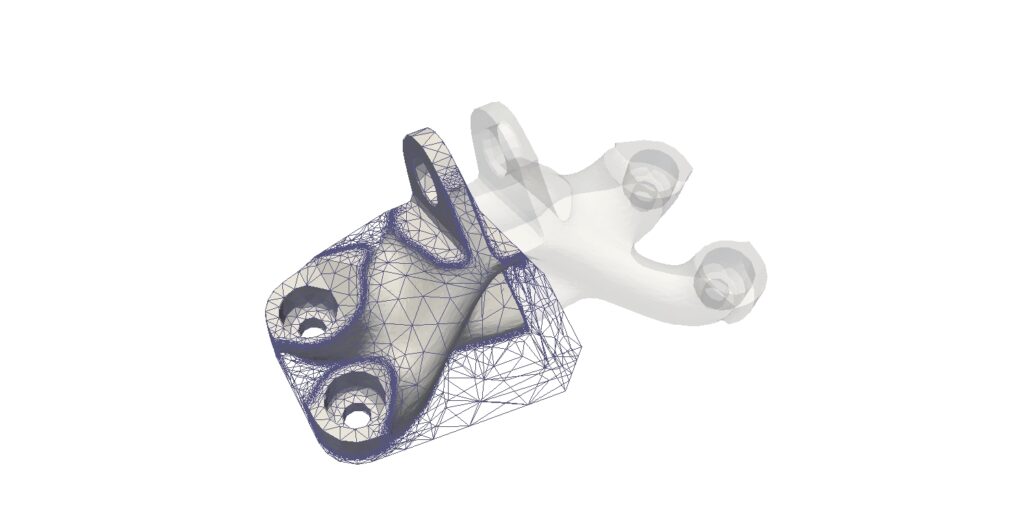
One of Fusion 360’s standout features is its AI-powered Generative Design suite, which allows users to define constraints, materials, and performance targets. The system then produces multiple optimized design options based on these inputs, often resulting in lightweight, organic forms that are ideal for additive manufacturing. Note, that you do need to pay for Cloud Credits to use this feature.
Fusion 360 is cloud-connected, which enables team collaboration, version control, and access from multiple devices. Free licenses are available for hobbyists, startups, and students, making it one of the most accessible high-end CAD tools on the market.
Onshape was created by the original founders of SolidWorks, who set out to build a next-generation CAD platform free from the limitations of desktop software. The result is a fully browser-based parametric CAD system built from the ground up for real-time collaboration, scalability, and cloud access.
It allows multiple users to work on the same model at once, with built-in version control, branching, and a complete design history. The interface is modern and responsive, and because it runs entirely in the cloud, there is no need for installations, updates, or file transfers.
For 3D printing, Onshape supports clean STL export and helps ensure watertight, solid models. It also features an integrated App Store, offering extensions for simulation, rendering, CAM, and additive manufacturing workflows.
Onshape offers a free plan for non-commercial use, with access to its full suite of tools and public project storage. For engineering teams, educators, and product developers who need a powerful parametric modeler that works seamlessly across teams and platforms, Onshape delivers a highly capable and future-ready environment.
Rhino 3D is a flexible modeling platform built around NURBS geometry, allowing for precise control of curves and complex freeform surfaces. It is widely used in architecture, jewelry, product design, and any field where organic shapes or smooth surfaces are a priority.
While not parametric by default, Rhino becomes extremely powerful when paired with Grasshopper, its built-in visual programming tool. Grasshopper enables users to create algorithmic, rule-based designs through a node-based interface. This makes it ideal for generating lattice structures, repeating patterns, and other forms that would be tedious or impossible to model manually. These features are particularly useful for 3D printing, where complex geometries and lightweight structures are often required.
Rhino also supports clean STL export, mesh editing, and geometry repair, helping ensure models are watertight and ready for slicing. For designers and engineers working on highly customized, non-linear, or generative forms, Rhino with Grasshopper offers a unique and powerful workflow tailored for additive manufacturing.
Solid Edge is a robust parametric CAD platform with a strong focus on mechanical design, including tools for assemblies, sheet metal, simulation, and generative design. Its modeling environment combines both history-based and synchronous (direct) modeling, giving users flexibility when editing complex geometry.
It includes integrated features for additive manufacturing, such as clean STL export and mesh validation tools to ensure models are ready for 3D printing. The generative design tools allow users to define constraints and automatically generate lightweight, performance-optimized parts suitable for printing with minimal post-processing.
The interface is intuitive for users familiar with other engineering CAD systems, and its modular structure allows access to advanced functionality as needed. Solid Edge is available in a free Community Edition for hobbyists, students, and makers working on non-commercial projects, offering access to its core features and additive workflow.
Blender is an open-source 3D modeling and animation suite that excels in mesh-based design and digital sculpting. While it is not a traditional CAD tool, it offers an extensive set of features for modeling, UV mapping, texturing, rigging, and rendering. It is especially popular in visual effects, character design, and game asset creation.
For 3D printing, Blender includes sculpting tools, remeshing, and modifiers that make it ideal for producing complex, organic shapes. It supports reliable STL and OBJ export and has built-in mesh analysis tools to help prepare models for printing. With proper workflow, Blender can produce watertight, manifold models ready for slicing.
Blender is supported by a vast community and offers frequent updates along with a wide range of add-ons that extend its capabilities. However, it is primarily geared toward artists, designers, and makers focused on visual expression and creative form. Those looking for precision, parametric control, or engineering-grade workflows may find it less suited to technical design.
At last, we have reached the final section, which is industrial-grade CAD for professionals. These solutions tend to come in at a high price point, and come with a whole bunch of additional features including FEA/CFD simulation, PDM (project data management), complex assemblies, and more.
Many of these features will be surplus to requirements to your average maker wanting to build Raspberry Pi enclosures, or things to sell on Etsy. The learning curve is incredibly steep also.
So unless you already have access to the software (and know how to use it), or are intending to have a career in mechanical engineering, you should make some serious consideration before investing time (and money) into learning one of the pro-tier CAD solutions.
SolidWorks is one of the most widely used parametric CAD platforms globally, valued for its powerful modeling tools and broad feature set. It supports solid and surface modeling, complex assemblies, part detailing, electrical integration, and simulation. Recent releases also include basic topology optimization via the “Design Optimisation” tool.
It features strong support for technical drawings and includes SolidWorks Visualize for photorealistic rendering, which has become much more stable in recent years. Designed for professionals, it integrates smoothly into engineering workflows.
However, long-time users know it can be quirky, leading to a love-hate relationship with its interface and constraints. Still, once mastered, it delivers reliable results.
PTC Creo is a high-end parametric CAD platform built for serious engineering, especially in sectors like aerospace, automotive, and industrial machinery. It offers robust tools for solid and surface modeling, assemblies, simulation, sheet metal, and additive manufacturing.
One of its standout features relevant to 3D printing is its Generative Design feature, which allows users to automatically generate lightweight, organic, performance-optimized geometries based on defined constraints and loads.
Creo is also known for its advanced surfacing, real-time simulation with Creo Simulate Live, and excellent integration with PLM systems like Windchill. The software is modular, meaning users can tailor it to their needs with add-ons covering everything from cabling to CFD.
The interface has improved over the years but still retains some of its legacy complexity. As a result, there’s a learning curve, but for those tackling large, intricate engineering challenges, Creo delivers the precision and depth required.
Like other enterprise-grade CAD systems, it comes at a premium, but it earns its place in workflows where performance, scalability are critical. It is also well known for being highly stable, and crashes a bit less than certain other offerings in this tier (which will remain nameless).
Autodesk Inventor is a professional mechanical CAD platform built for designing precise 3D parts, assemblies, and production-ready documentation. It supports solid and surface modeling, parametric and direct editing, as well as integrated tools for simulation, motion analysis, and dynamic stress testing. Inventor is particularly well-suited for machinery, tooling, and large assembly workflows, with excellent interoperability across Autodesk’s ecosystem.
While it handles engineering design with efficiency and depth, its support for 3D printing workflows is not as streamlined as some alternatives. Exporting to mesh formats like STL often requires additional cleanup or third-party tools.
Inventor also includes features for sheet metal, weldments, and exploded views, making it a versatile solution for detailed mechanical projects. The interface is modern and generally user-friendly, though it can feel heavyweight on older systems.
For engineering teams working within Autodesk environments or looking for a solid mid-to-high range CAD tool, Inventor remains a dependable and capable choice.
CATIA is a high-end CAD and PLM platform developed by Dassault Systèmes, tailored for aerospace, automotive, and other large-scale industries. It supports complex surface modeling, parametric design, and systems engineering. While extremely powerful, it is costly and best suited for enterprises dealing with highly complex engineering projects.
If you or your company owns a CATIA licence, and you know how to use the software, then by all means, use it for 3D printing workflows. But if you are looking for a CAD package exclusively for 3D printing, then the price of admission for CATIA makes it something of overkill for the task. In short, if you want to design a fighter jet, then CATIA is great. If you want to design a soap dish for 3D printing, then you might want to find a more simpler solution.
Best CAD for Beginners:
To summarize the beginners’ category: TinkerCAD runs out of steam very quickly in terms of advanced features, and FreeCAD is a bit clunky. SketchUp needs quite a lot of work to make water-tight models for 3D printing.
So with that in mind, there is a clear winner in this category, and the winner is Shapr3D.
Shapr3D is fairly easy to learn, has a great user interface, and is based on the Parasolid kernel, meaning it outputs clean, solid geometry that plays nicely with slicers and 3D printers.
It supports STL and STEP export, allows for both direct and parametric modeling, and works seamlessly across iPad, Windows, and macOS.
For beginners who want a smooth learning curve without sacrificing professional-grade output, Shapr3D hits the sweet spot. The free version has some limitations, but it’s more than enough to get started and grow into more advanced designs.
Best CAD for Intermediate to Advanced Users:
It is a lot more difficult to select a winner from this tier, because all of the entries in this category do what they are supposed to do, and at a good price point. They provide a gentle enough learning curve for beginners, yet offer enough features to keep more advanced users invested.
Fusion 360 offers a clean interface and logical workflow, but might feel less than intuitive for those coming from an engineering background (especially in terms of assemblies). But it has some great features for 3D printing, and if you want to spend a few bucks on cloud credits, you can gain access to Autodesk’s AI-powered Generative Design feature.
OnShape (being cloud-based) will run on any browser, meaning that you don’t need a $4000 laptop to run it. And it also offers control customisation, so you can get your mouse inputs to behave like other CAD packages such as Solidworks or Inventor. In addition, OnShape has its own App Store, allowing easy access to (and installation of) a huge range of 3rd party apps, ranging from DoE tools, to simulation, to rendering, and a lot more.
Rhino is great for those wishing to dip their toes into parametric solid modelling waters, without spending several thousand bucks a year on a licence, and also opens the doors for those wanting to learn the more organic, topologically optimized forms available in Grasshopper.
Blender, while not being a true MCAD solution, is great if you already know how to use it, and comes in at a great price point (free). That said, it is better suited for freeform modelling of characters / figurines and things of that nature, rather than engineering applications.
With that in mind, we declare OnShape as the winner of this category, due to its attractive price, low hardware requirements, and comprehensive app store, as well as its customisable control inputs.
We give an honorable mention to Autodesk Fusion 360, because it’s accessible to beginners, it isn’t eye-wateringly expensive, and it has a wide range of 3D printing features.
Or to put it another way, if you’re a maker looking for a CAD solution in this category, go with Fusion 360. If you’re an engineer, go with OnShape.
Best CAD for Industrial Users:
As with the previous category, it is difficult to choose a clear winner for this tier, largely because they are all equally capable at modelling, and because of the cost of these solutions.
If you already own a CATIA licence and you know how to use it, it’s hard to recommend going out and dropping over $3,000 on a Solidworks licence just to achieve the same results. Similarly, if you have already mastered Solidworks, then it’s hard to justify telling someone to spend a couple of years mastering PTC Creo.
So basically, if you already have access to one of these professional CAD solutions, and you know how to use it, then you already have the best solution at your fingertips.
But if you’re new to this tier (or if you’re procuring a new CAD system for your company), then we would recommend PTC Creo. It’s good for solid and surface modelling, and can export as STL or STEP.
Overall, it strikes the right balance of price, stability, and usability, it’s great at large assemblies, and it also comes with Generative Design tools.
| Best for Beginners | Shapr3D |
| Best for Intermediate | OnShape / Fusion 360 |
| Best for Professionals | PTC Creo |
